
Desktop GUI
egui-based desktop client for LUKSbox - same Container core as the CLI, plus a click-driven UI.
LUKSbox ships a desktop GUI alongside the CLI. Same on-disk format, same crypto stack, same FIDO2 + hybrid-PQ keyslots; just a click-and-type interface for users who don't live in a terminal.
The GUI is a single-file binary (luksbox-gui) built on
egui - immediate-mode, no Electron,
no embedded browser. Cross-platform: same source, same look on
Linux, macOS, and Windows.
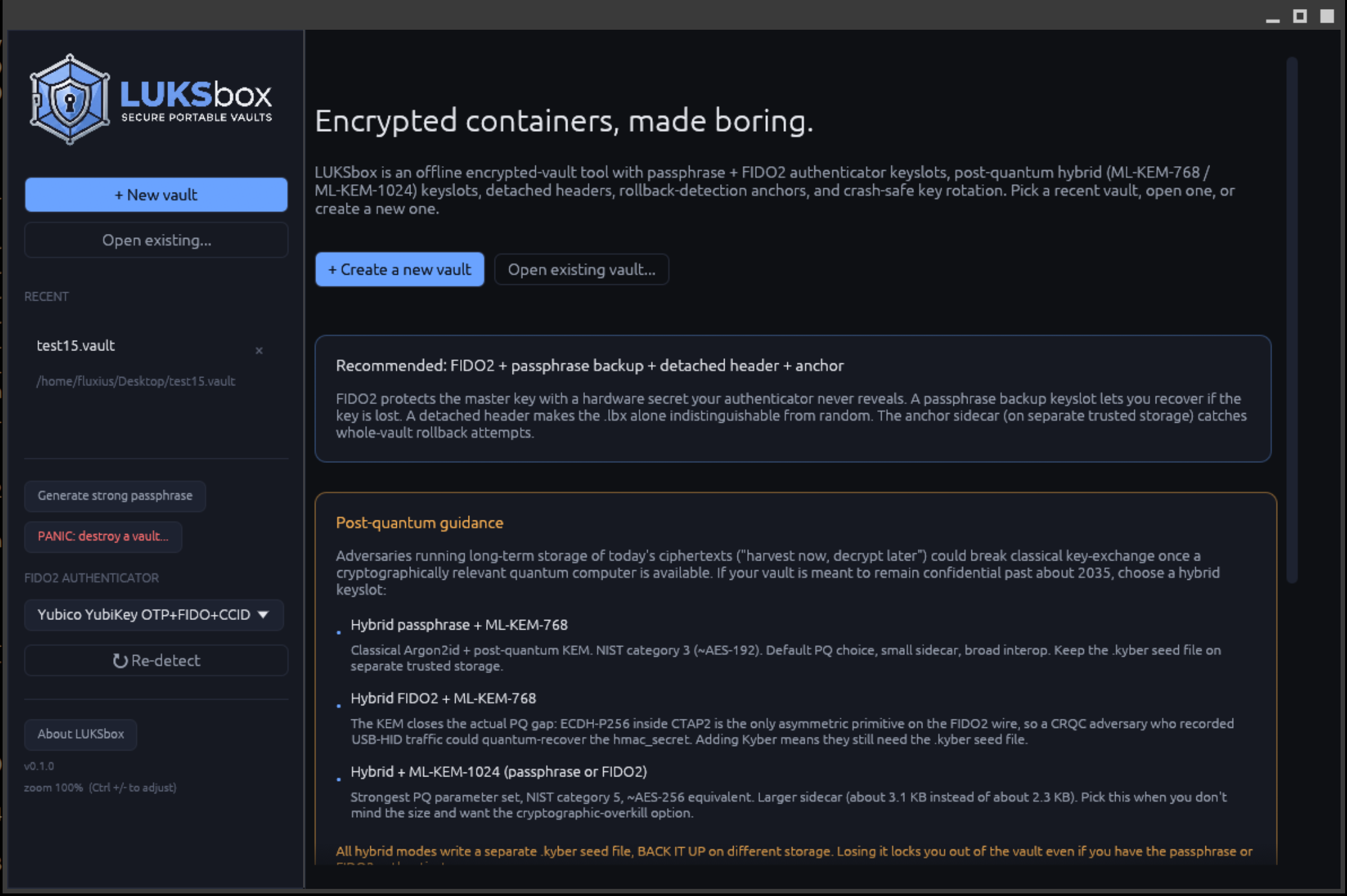
What's in this section
| Page | Covers |
|---|---|
| Welcome screen | Landing page; create / open / recent-vault picker |
| Creating a vault | The Create form: keyslot kind, cipher, KDF, FIDO2 enrollment, deniable mode |
| Unlocking a vault | Passphrase, FIDO2 touch, hybrid-PQ unlock flows, deniable open |
| Browsing files | File-tree navigation, import via Add file dialog, extract, rename, delete |
| Managing keyslots | Adding / revoking / rotating keyslots; multi-device setup |
| Panic mode | Emergency vault destruction (luksbox panic from the GUI) |
The GUI also exposes deniable mode (a vault format whose on-disk bytes are indistinguishable from random output) as a checkbox in the Create form and a source toggle on the Unlock view. See the Create and Unlock pages for the specific fields the deniable path adds.
Requirements
Same as the CLI:
- Linux:
libfido2,libfuse3(for the optional in-GUI mount feature),libgtk-3or equivalent for system file dialogs - macOS: macFUSE for mount; everything else bundled in the
.dmg - Windows: WinFsp for mount; everything else bundled in the
.msi
See Install on your platform for the download + dependency setup.
When to use the GUI vs the CLI
| Use the GUI when | Use the CLI when |
|---|---|
| You want a click-driven workflow | You're scripting / automating |
| You want to mount the vault as a Windows / Linux / macOS volume and drag-and-drop files in Explorer / Finder | You want stdin-pipe passphrase entry |
| You want to see the keyslot table visually | You want the luksbox binary on PATH |
| You're onboarding a non-technical user | You need every flag (some advanced options are CLI-only for now) |
Both tools work against the same .lbx files - you can create with
the GUI and operate via the CLI later, or vice versa.
Launching the GUI
luksbox-gui                    # default
luksbox-gui /path/to/my.lbx    # open a vault directly (skip Welcome)
On Linux desktops with a .desktop entry, double-clicking a
.lbx file launches the GUI with that file pre-loaded. Same on
macOS via the .dmg's file association registration.
- Welcome screen The landing view: create a vault, open one, or pick from recent vaults.
- Creating a vault The Create form: keyslot kind, cipher, KDF, FIDO2 enrollment from the GUI.
- Unlocking a vault Passphrase, FIDO2, hybrid-PQ unlock flows from the GUI.
- Browsing files File-tree navigation, import via Add file dialog, extract, rename, delete from inside the vault.
- Managing keyslots Add / revoke / rotate keyslots, multi-device setup, MVK rotation.
- Panic mode Emergency vault destruction from the GUI.