
Unlocking a vault
Passphrase, FIDO2, hybrid-PQ unlock flows from the GUI.
The Unlock view appears when you Open an existing vault from the
Welcome screen, click a recent-vault entry, or launch luksbox-gui /path/to/my.lbx. It auto-adapts to the vault's keyslot table:
- Passphrase-only vault -> just a passphrase field
- FIDO2-only vault -> device picker + "touch your key" prompt
- Hybrid-PQ vault -> passphrase / FIDO2 picker + Kyber seed-file path
- Multi-slot vault -> tabs to pick which keyslot kind to use
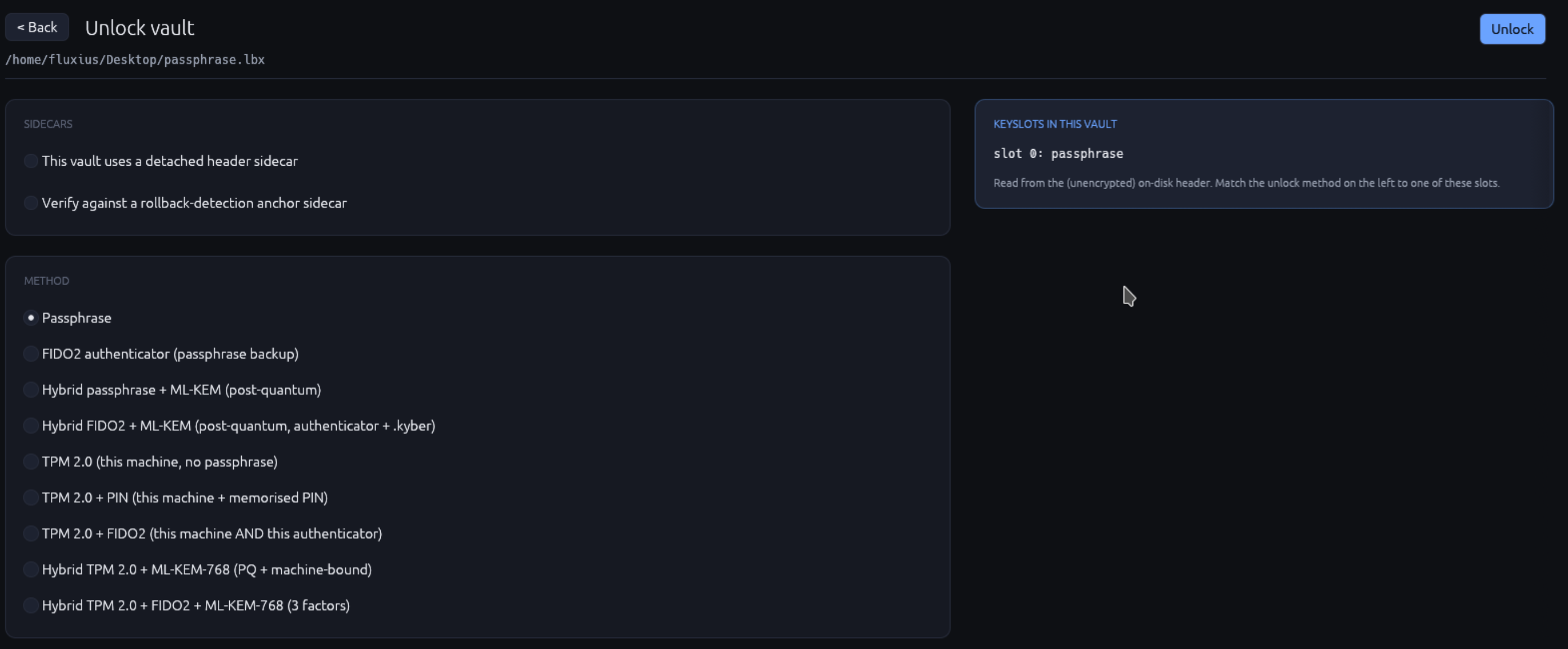
Passphrase unlock
The default for vaults whose first slot is a passphrase keyslot.
- The vault path is shown read-only at the top (so you can confirm you're opening the right file).
- Type your passphrase. Show/hide eye on the right reveals it if needed.
- Click Unlock. Argon2id runs (500 ms - 4 sec depending on the vault's KDF preset); a "Working..." overlay appears.
- On success, you land in the Browser view.
Wrong passphrase produces a red error banner: "Wrong passphrase or no matching keyslot." The GUI deliberately doesn't say which slot failed (constant-time-equivalent UX behaviour to match the crypto layer's constant-time keyslot trial).
FIDO2 unlock
For vaults where slot 0 is Fido2HmacSecret or Fido2DerivedMvk.
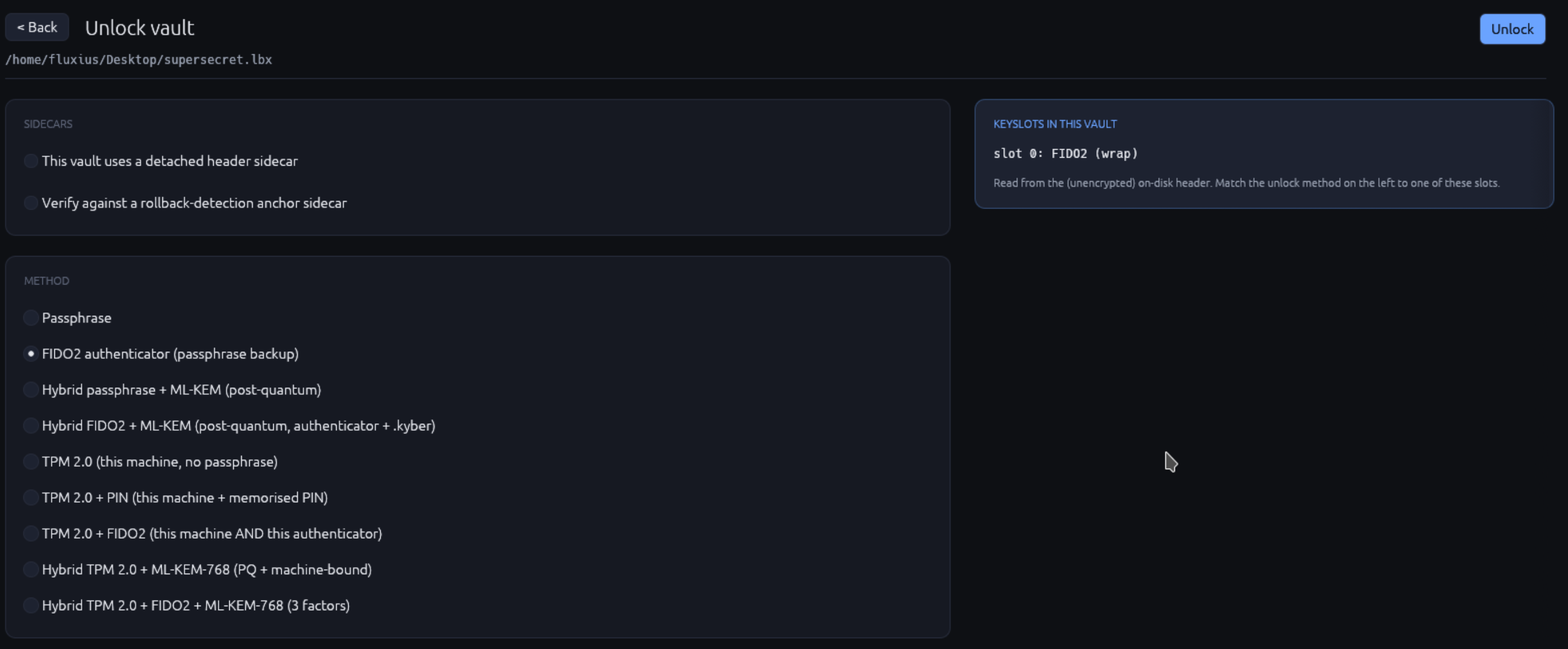
- Vault path shown read-only.
- FIDO2 device picker dropdown shows every plugged-in CTAP2 authenticator with their label + path. Click refresh (the small (refresh) icon) if you plug in a key after the view opens.
- Click Unlock. The GUI sends the assertion request to the selected device.
- Touch the device when the modal appears. PIN prompt shows if the device requires user-verification (most modern keys do).
- On success, you land in the Browser.
Vaults with both FIDO2 AND a backup passphrase keyslot show a small "Use backup passphrase instead" link below the device picker. Click it to switch to the passphrase form (useful when you've lost your YubiKey).
Hybrid-PQ unlock
For vaults with HybridPqKemPassphrase or HybridPqKemFido2
keyslots. Adds the .kyber seed file to the inputs.
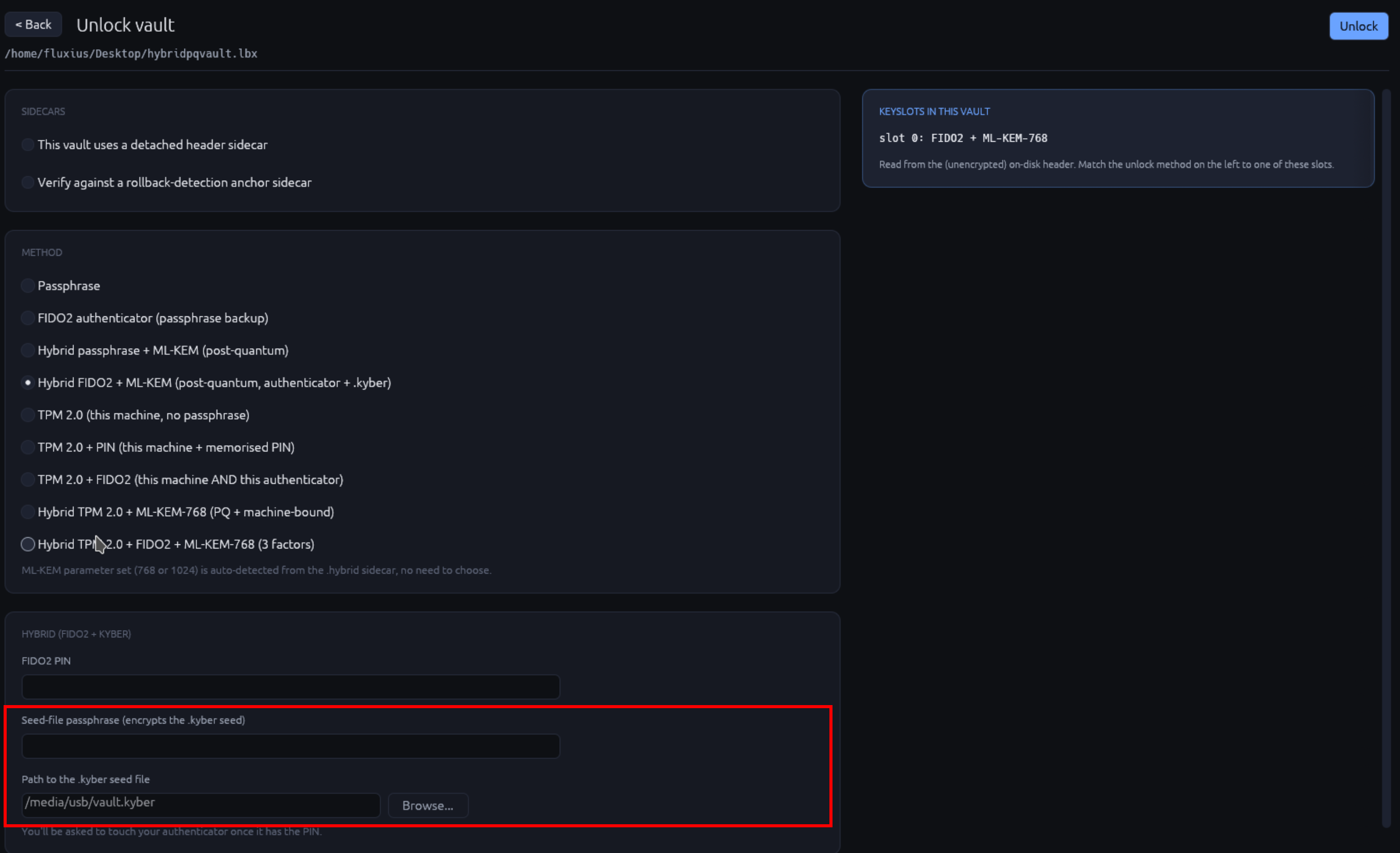
- Vault path + Kyber seed file path picker.
- Type the seed-file's passphrase (separate from the vault passphrase if you set them differently).
- The classical factor: either type the vault passphrase OR touch the FIDO2 device (whichever the slot kind specifies).
- Click Unlock; ML-KEM decapsulation + Argon2id run + AEAD unwrap all in sequence.
Deniable open
If the vault was created with deniable mode, switch the Source toggle at the top of the Unlock view from "Standard" to "Deniable". The form then asks for the cipher / Argon2id params / credential variant the vault was created with - in deniable mode these values are part of the secret and the header carries no plaintext hint about them. The GUI cannot auto-detect deniable vaults (that would defeat the whole point), so you have to flip the toggle yourself.
Every failure mode on the deniable path - wrong passphrase, wrong cipher, wrong Argon2 params, corrupted header, wrong anchor file - collapses into the same opaque "unlock failed" toast. There is no oracle distinguishing the cases. Pre-flight checks DO surface specific anchor problems: a missing / wrong-size / symlink anchor file fails with "Anchor file does not decrypt under this vault's master key" before the format layer is asked to unlock, so the user knows which file to swap.
For hybrid-PQ deniable variants the seed-file passphrase field defaults to blank, meaning "reuse the envelope passphrase". Leave it blank if you took the default at create time; fill it if you set a distinct seed-file passphrase for defence in depth.
Multi-slot vaults
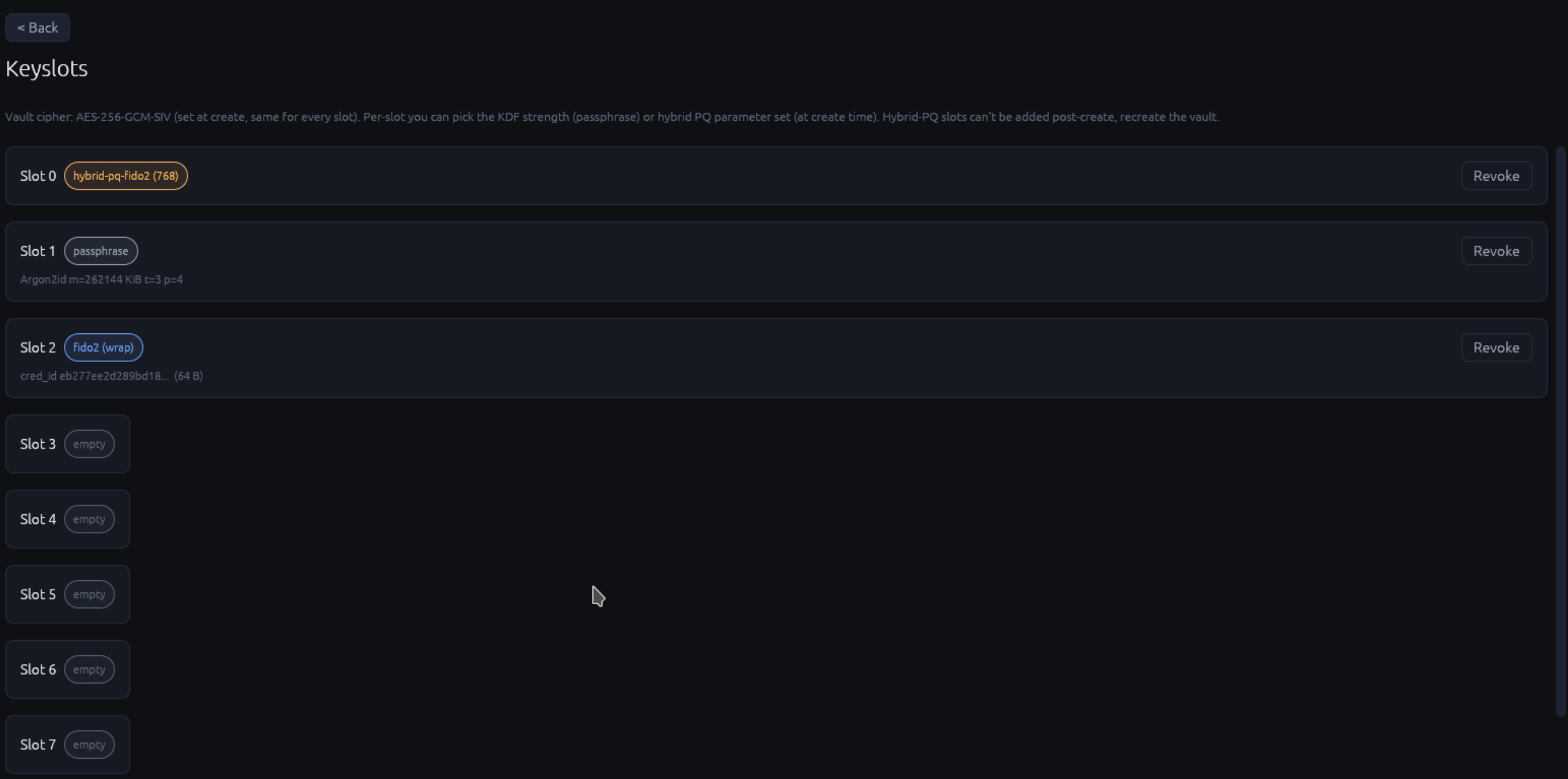
If your vault has more than one keyslot kind enrolled (e.g. passphrase + FIDO2 + backup passphrase), the Unlock view shows tabs at the top so you can pick which one to use.
Recovery mode (read-only, skips broken files)
If a vault that used to open suddenly refuses with metadata blob deserialization failed or per-inode AEAD errors (the
v0.2.1 durability bug
fixed in v0.2.2), tick the "Recovery mode (read-only, skips
broken files)" checkbox on the Open form before clicking Unlock.
The toleration flag installs broken inodes as 0-byte placeholders
during open instead of refusing the whole vault. On success a
modal lists every broken file's path + original size + AEAD-
failure reason so you know what to re-source. The mount is
read-only; the GUI refuses every flush while the recovery report
is active, so the broken inodes are never persisted back to disk
over the original on-disk metadata. Future brute-force recovery
against the original chunks_external pointers stays possible.
Treat recovery mode as a one-shot escape hatch: open, copy out
everything that reads, close, run the broken-vault forensics
workflow on the original .lbx (see the
recovery operations page
for the full flow). The CLI equivalent is
LUKSBOX_TOLERATE_BAD_CHUNK_LISTS=1 luksbox mount ...; the
wizard prompts "Try opening in recovery mode?" on the same
failure.
Errors you might see
| Error | Meaning |
|---|---|
| "File not found" | The path doesn't exist, or you don't have read permission |
| "Not a LUKSbox vault" | File magic doesn't match LBXVAULT; might be corrupted or a different format |
| "Wrong passphrase or no matching keyslot" | Generic unlock failure; could be wrong pp, wrong key, or tampered slot |
| "FIDO2 device not found" | Device unplugged between when the view opened + when you clicked Unlock |
| "Touch timeout" | You took > 30 sec; re-click Unlock |
| "Kyber seed mismatch" | The provided .kyber doesn't pair with this vault (either wrong file, or the vault's hybrid sidecar is corrupted) |
| "Vault locked by another process" | Another luksbox (CLI or GUI) instance has it open + held an exclusive lock |
Performance notes
Unlock time is dominated by Argon2id (the KDF). Typical figures:
- Interactive preset (default for most vaults): 500 ms - 1 sec
- Sensitive preset: 3 - 5 sec
- Custom calibrated (via
--kdf-target-timeat create): whatever was targeted
FIDO2 touch + assert adds 200 ms on top of the KDF. Hybrid-PQ adds another 100 ms for the ML-KEM decapsulation.
If unlock takes much longer than expected (e.g. 10+ seconds for an interactive preset), suspect either disk I/O contention or that the vault was created with a custom high-m_cost target on a faster machine than the one you're unlocking from.