
TUI wizard
luksbox wizard - the interactive walkthrough. Same operations as the CLI, with confirmation prompts and inline explanations.
luksbox wizard is the interactive entry point. No arguments to
remember; it asks one question at a time and explains each choice
before doing anything destructive. Use it on a new machine, when
teaching someone else how to use LUKSbox, or when you want
confirmation prompts ahead of revoke / rotate operations.
The wizard is purely a UX layer over the same Container core that
backs the CLI and GUI, the on-disk bytes are identical no matter
which tool you used to write them.
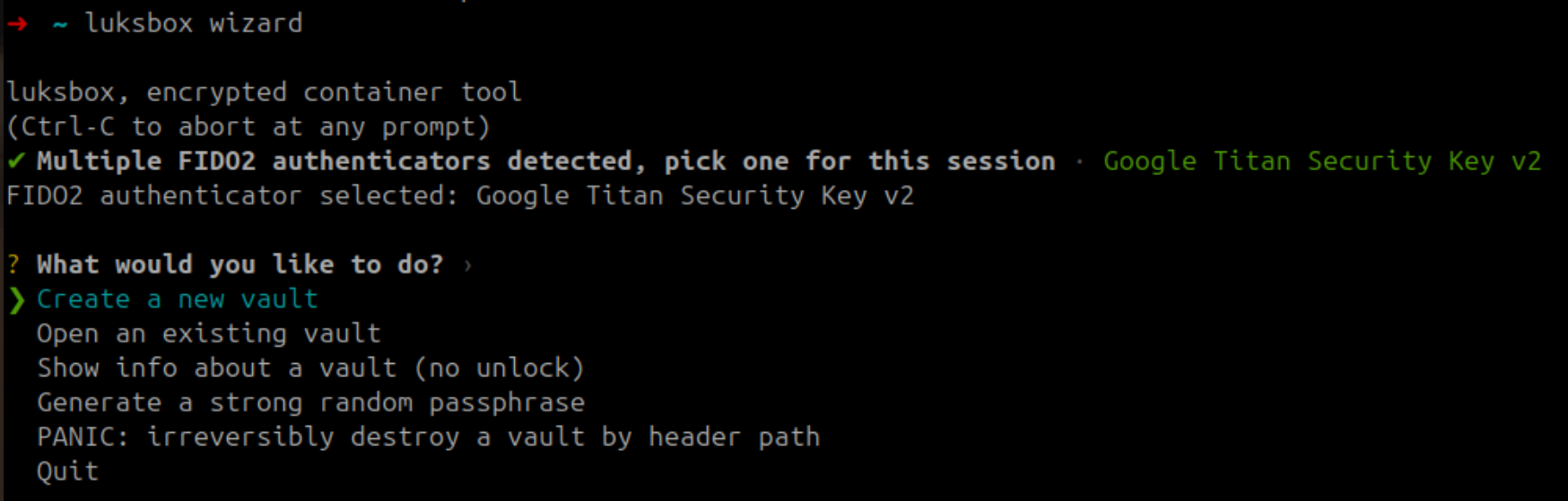
What the wizard covers
| Action | Walks you through |
|---|---|
| Create a new vault | Every keyslot kind (passphrase, FIDO2 x2, TPM x3, hybrid PQ x8), every cipher suite |
| Open an existing vault | Same dispatch; auto-detects detached header / hybrid sidecar / anchor |
| Manage keyslots (post-unlock) | Add a backup keyslot, revoke a slot, rotate the MVK |
| Generate a strong random passphrase | OsRng-based, about 99 bits entropy, "WRITE THIS DOWN" warning |
| Inspect a vault | Cipher, KDF parameters, slot table, anchor status |
| Diagnose TPM permissions (Linux) | Probes /dev/tpmrm0, suggests the tss-group / udev fix if needed |
| Verify the rollback anchor | Compares the current vault generation against the anchor sidecar |
| Quit | Returns to the shell |
Launch
luksbox wizard
The wizard requires an interactive terminal (it uses dialoguer for prompts). Pipe input at your own risk, option numbering may change between minor versions.
Walkthrough pages
| Page | Covers |
|---|---|
| Wizard walkthrough | The full flow with screenshot placeholders for each menu / dialog |
When to use the TUI vs the CLI vs the GUI
| Use the TUI when | Use the CLI when | Use the GUI when |
|---|---|---|
| You want guided prompts | You're scripting / automating | You want a click-driven workflow |
| You're on a remote / SSH session | You need every flag | You're on a desktop session |
| You're new to LUKSbox or onboarding someone | You want stdin-pipe passphrase entry | You want to mount the vault as a drive and use your file manager |
| You want explicit confirmation before revoke / rotate | You want minimal startup time | You want the visual slot table + recent-vaults list |
All three operate on the same .lbx files, choose per-task.